
 IT
IT  EN
EN Joomla! Downloader is a single-file PHP utility that downloads and extracts Joomla directly on your server. It is designed to speed up fresh installations, reduce manual steps and simplify deployment workflows.
Overview
Joomla! Downloader is a standalone PHP script that fetches Joomla packages directly from official sources, downloads them server-to-server, validates the archive and extracts the files automatically.
Instead of downloading a ZIP locally, uploading it by FTP and extracting it manually, you upload one PHP file, open it in the browser, choose the Joomla release and let the script complete the process for you.
Server-to-server
Downloads Joomla directly on the destination server, avoiding local transfer bottlenecks.
Automatic extraction
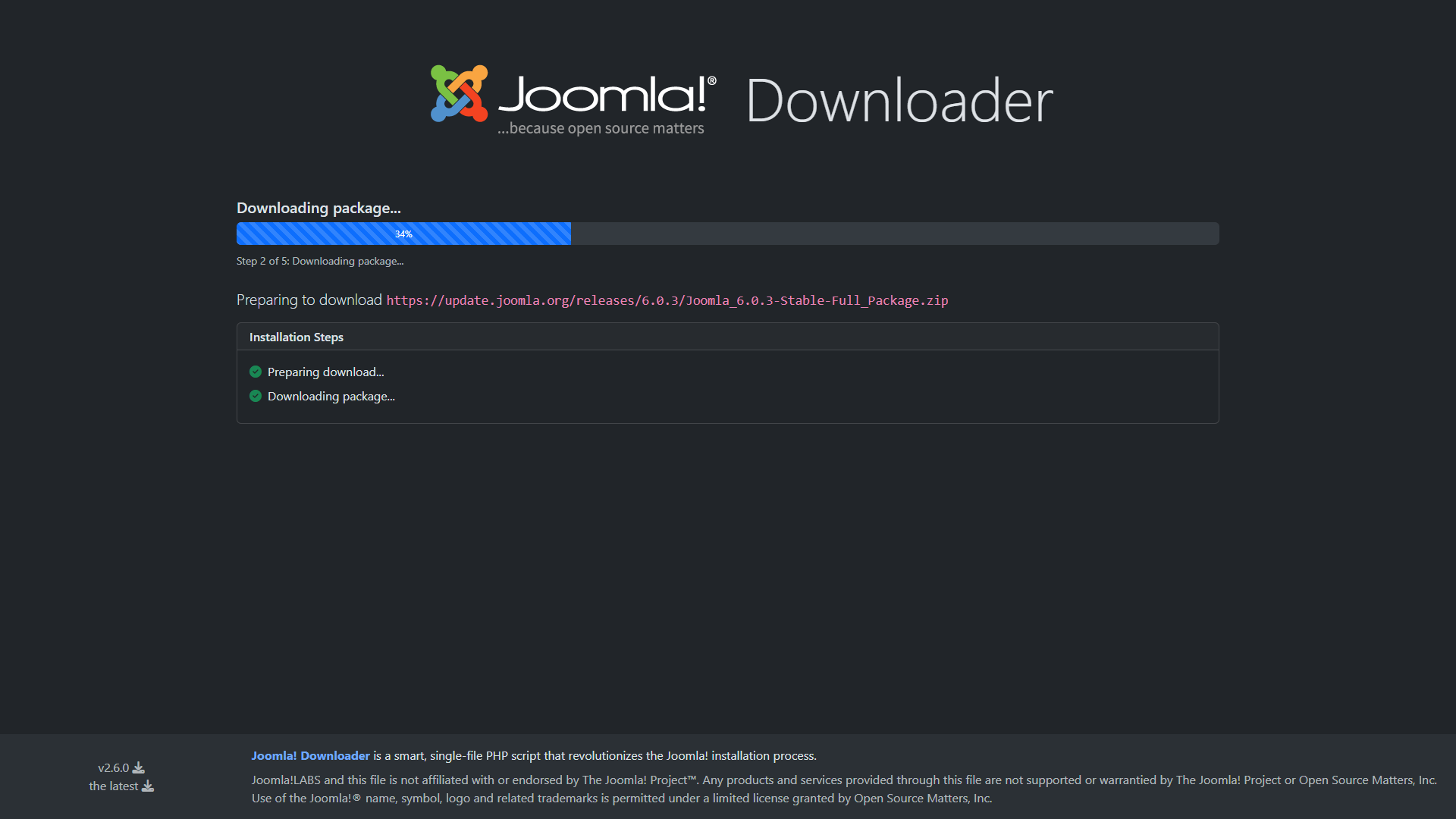
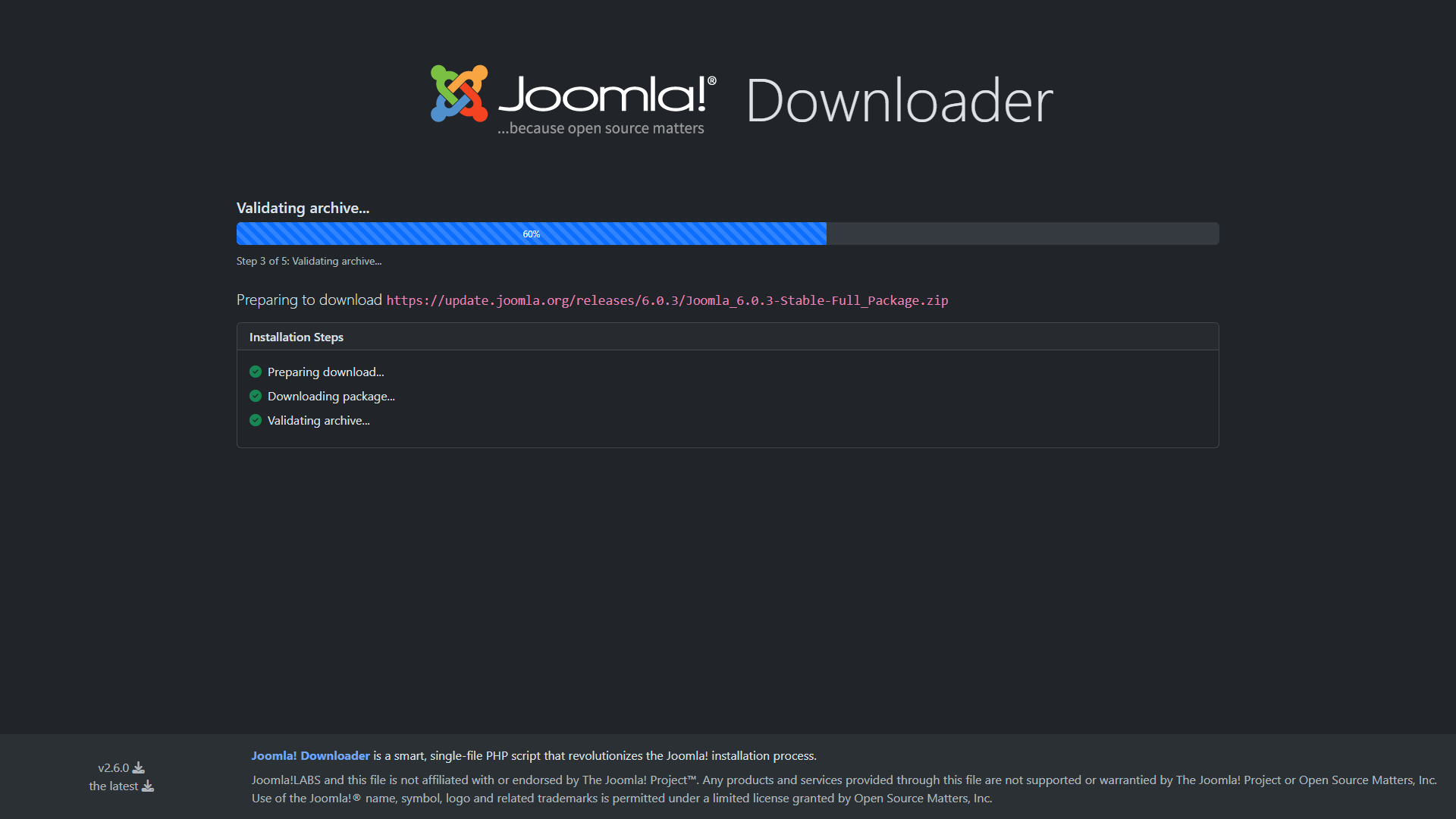
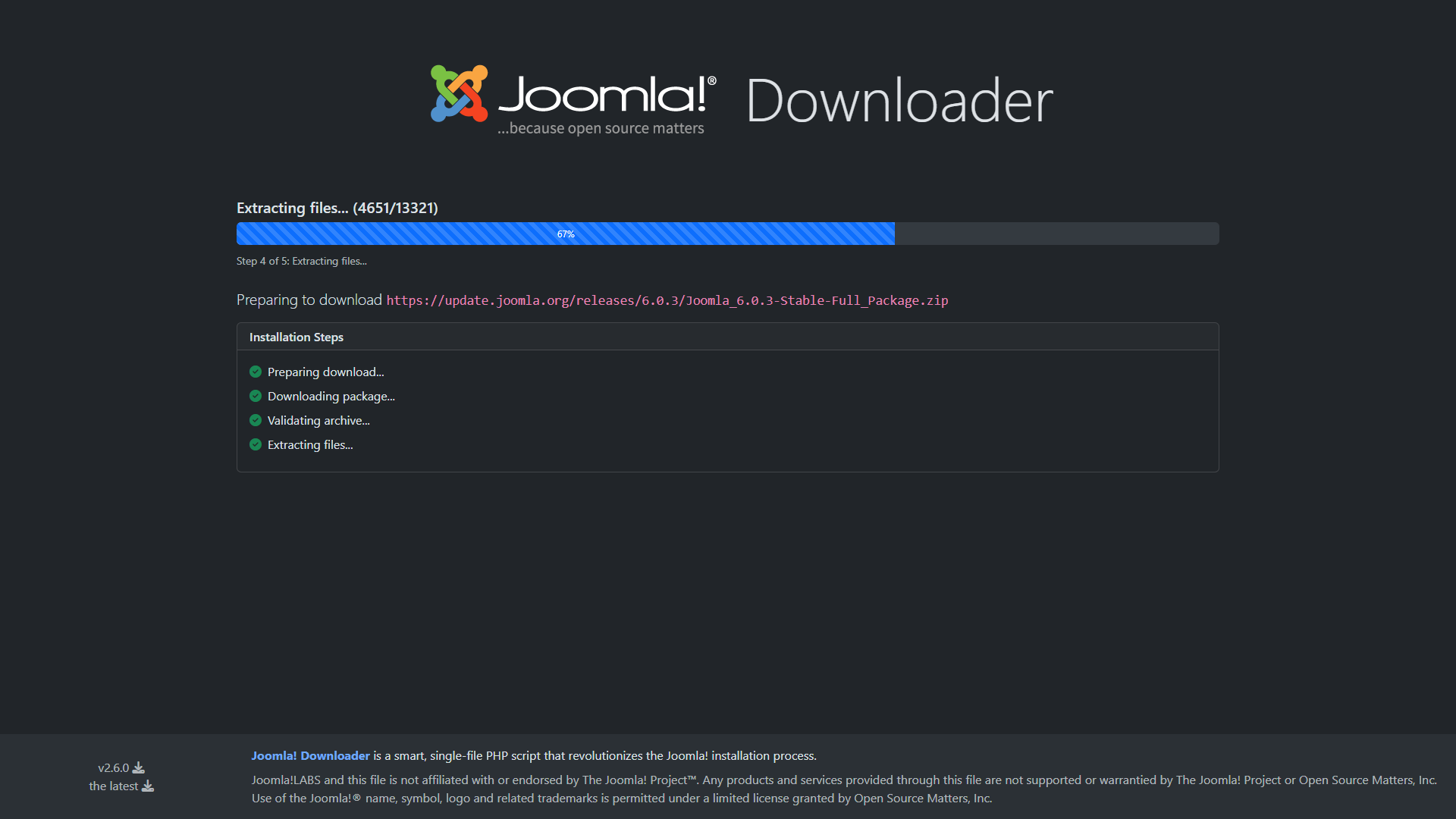
Verifies and extracts the ZIP archive automatically, then cleans up temporary files.
Fast setup
A practical shortcut for new Joomla installations, staging sites and repeated project setups.
How it works
Joomla! Downloader replaces the classic installation workflow with a shorter and cleaner server-side process. The script is built to reduce manual handling, save time and lower the chance of transfer or extraction errors.
Typical workflow
- Upload
joomla_downloader.phpto your server. - Open the script in your browser.
- Load the list of available Joomla packages.
- Choose the release you want to install.
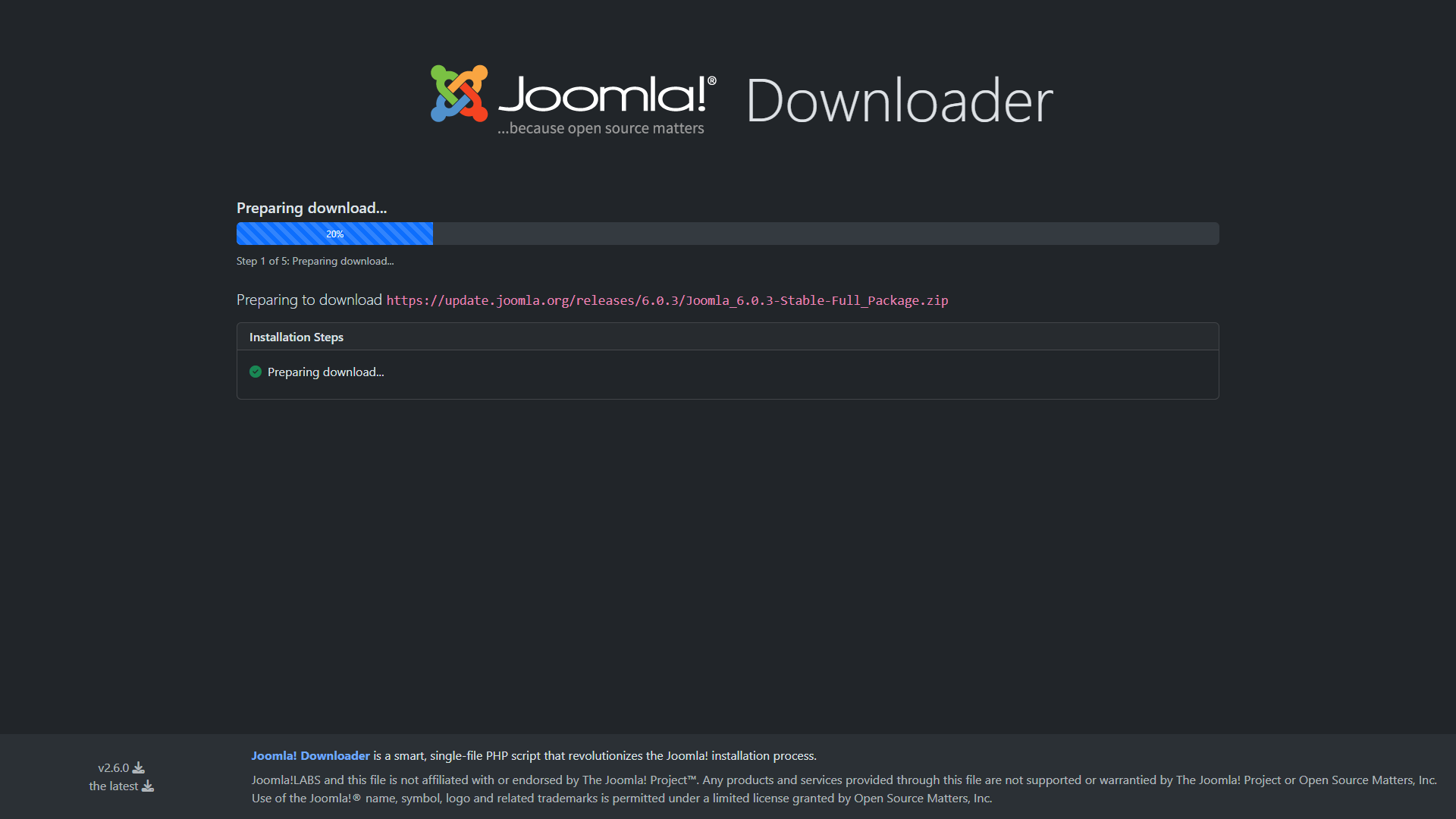
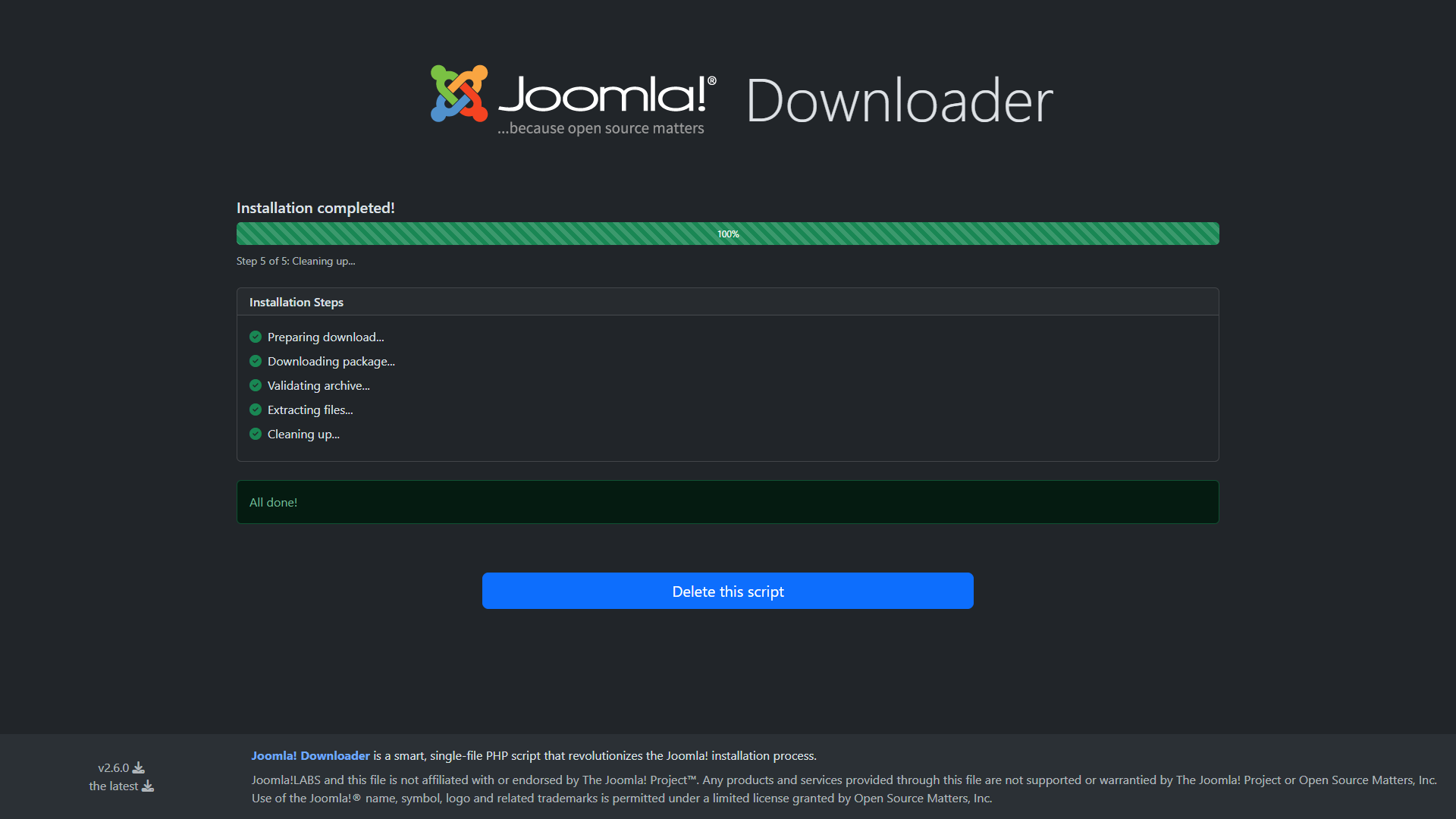
- Start the download and extraction process.
- Remove the script and continue with the standard Joomla web installer.
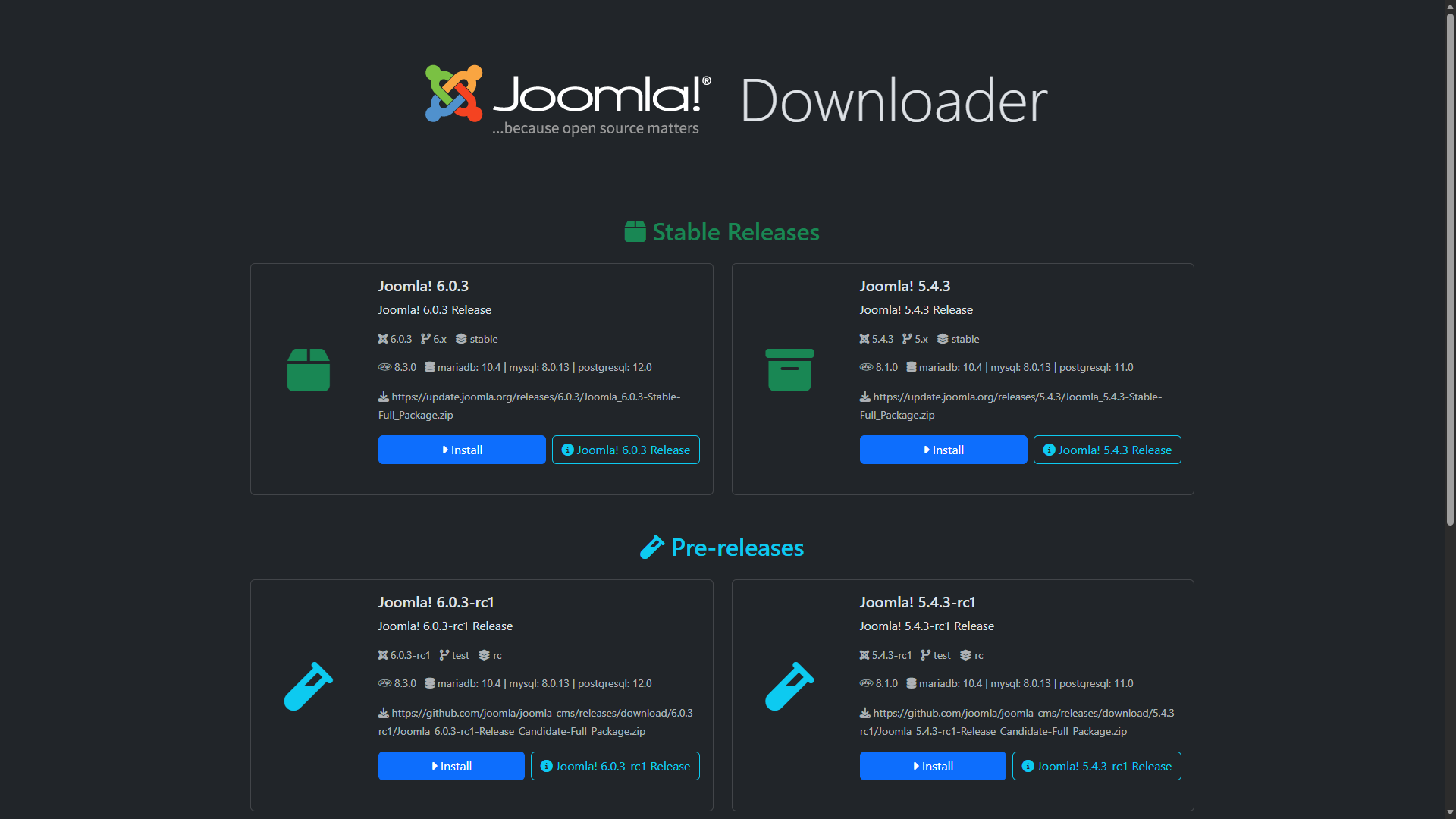
Choose the Joomla package
The package selection screen shows more than just a download option. Each card can expose several useful details to help you choose the right Joomla release for your project.
- The release version.
- The branch or channel it belongs to.
- The maturity level, such as Stable, Release Candidate, Beta, Alpha or Nightly Build.
- The minimum PHP and database requirements, including MariaDB, MySQL and PostgreSQL information.
- A button linking to the official release notes article for that package.
Requirements
Joomla! Downloader is intentionally lightweight and based on plain PHP, but the server still needs a few core capabilities to download and extract packages correctly.
| Requirement | Why it matters | Notes |
|---|---|---|
| PHP | Runs the downloader script | Use a supported PHP version compatible with your target Joomla release. |
| cURL | Downloads packages from official Joomla sources | Required for reliable remote package retrieval. |
| ZIP support | Extracts the downloaded Joomla archive | The server must be able to validate and unpack ZIP files. |
| Write permissions | Creates files and extracts Joomla into the target directory | Make sure the web server user can write to the installation folder. |
| Browser access | Launches the web interface | You run the process from a browser after uploading the PHP file. |
Supported scenarios
- Fresh Joomla installations
- Client project setup
- Staging and test environments
- Multi-site parallel development
- Low-bandwidth local connections
Usage steps
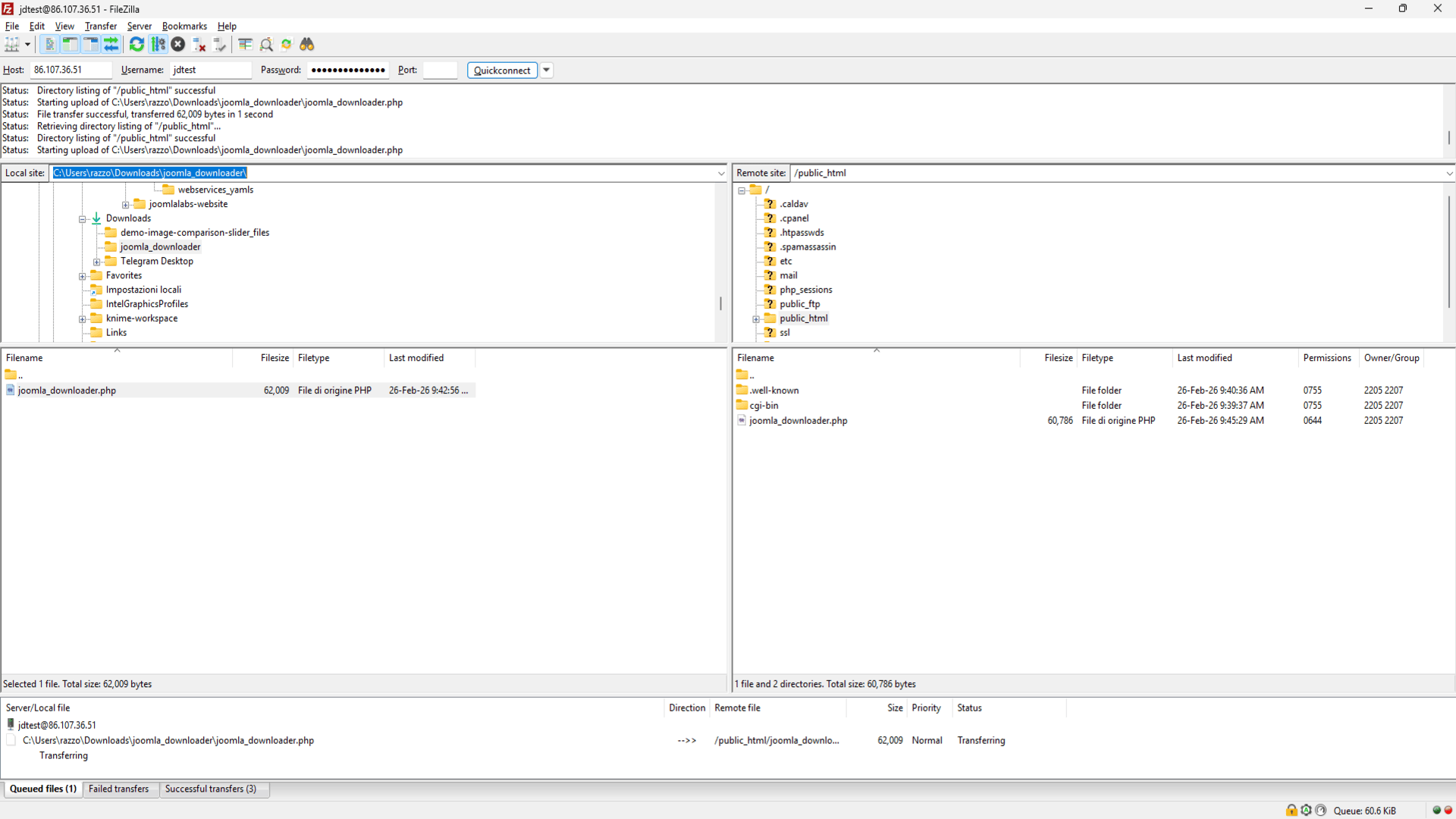
1. Upload the script
Copy joomla_downloader.php to the target web root, such as public_html/ or another document root.
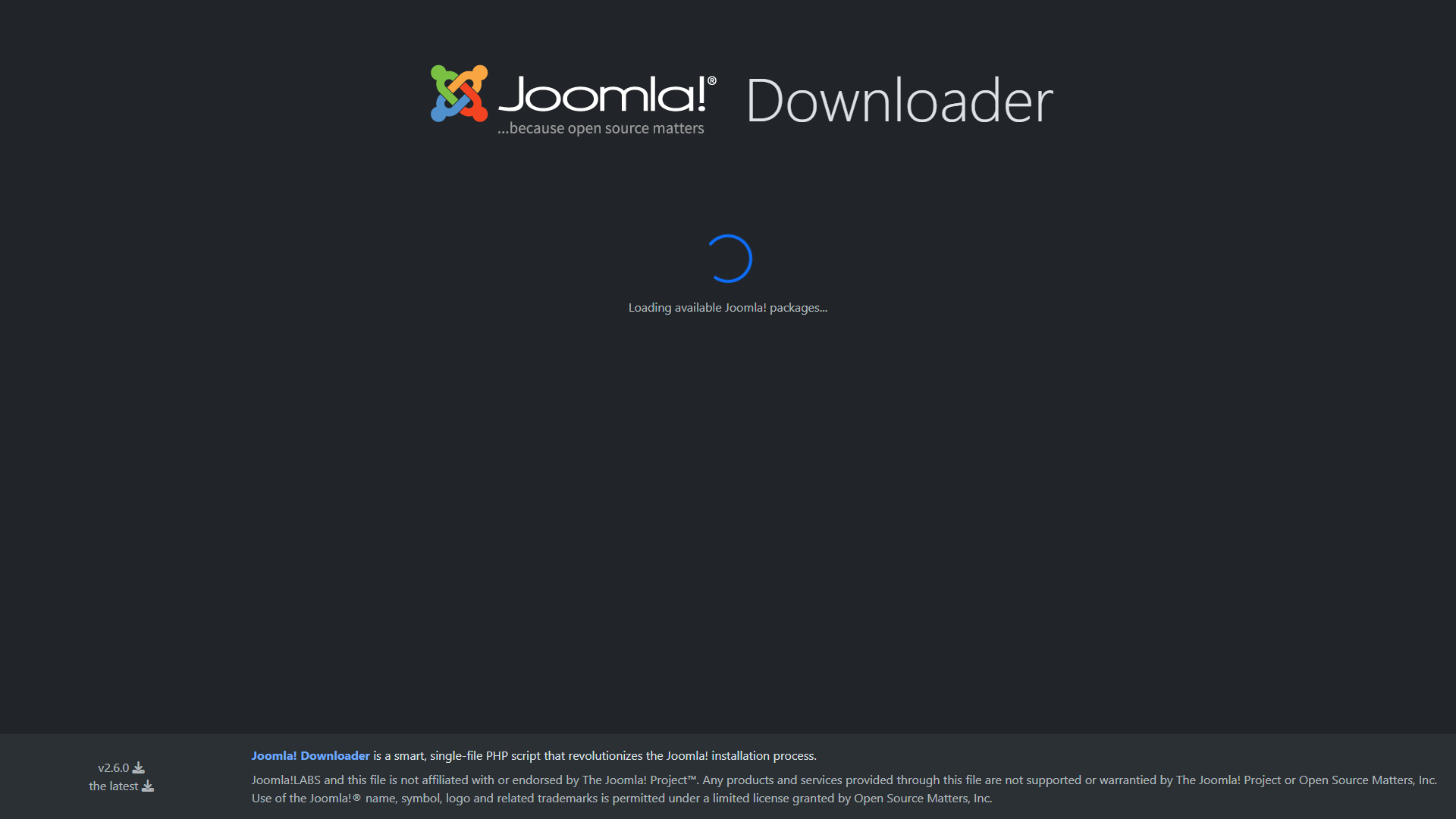
2. Open it in the browser
Launch the script from your browser, let it load the available Joomla package list and choose the release you need.
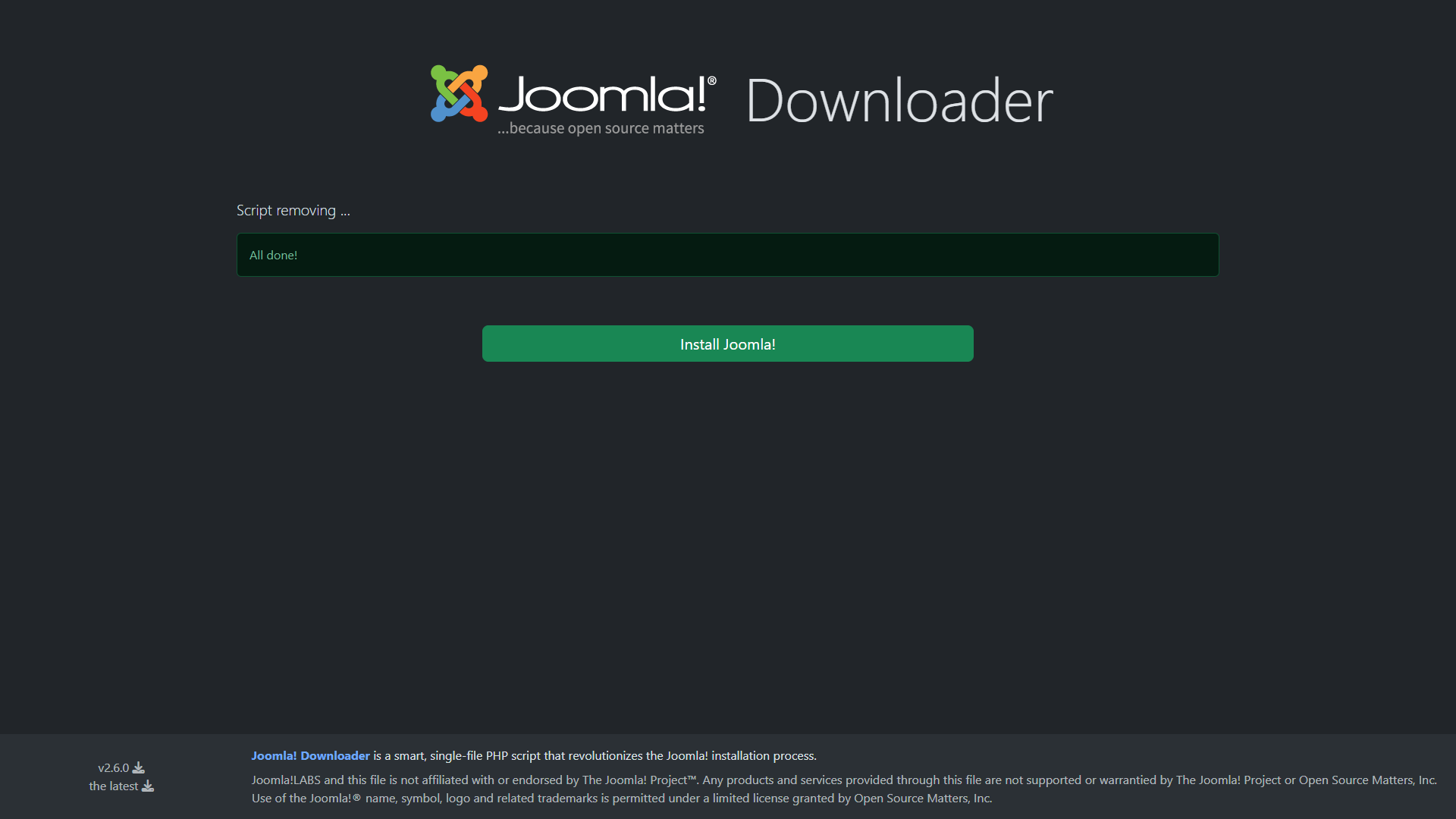
3. Finish and install Joomla
After download, validation, extraction and cleanup, remove the script and continue with the normal Joomla installation wizard.
Step-by-step screens
The complete process is short, but showing every technical step is useful for users who want to understand exactly what the script is doing. For this reason, a slideshow is the best choice here: it keeps the page cleaner while still documenting the full workflow.
joomla_downloader.php file to the target server.
Security notes
Joomla! Downloader is designed with a straightforward and safer workflow in mind. The project material highlights official package sources, archive validation, limited manipulation points and cleanup as key security concepts.
Official package sources
Use the downloader only with trusted Joomla package sources configured by the project.
Archive validation
The process includes ZIP validation before extraction to reduce archive-related problems.
Minimal attack surface
The project documentation emphasizes a simple flow with no freely manipulable package URL parameters.
Remove the script
After extraction, delete the downloader file so it is not left accessible on a public server.
Recommended practice
- Use it for fresh installs, not on an already configured live site.
- Run it in the destination root only when you are ready to install Joomla.
- Delete the script immediately after the extraction is complete.
- Continue with the standard Joomla installer only after checking the extracted files.
Package customization
Joomla! Downloader can be customized easily by editing the $packagesConfig array.
This lets you decide which Joomla packages are shown on the main screen, so you can simplify the interface or expose more advanced release channels for testing and development.
// Configuration: packages to display on main page
$packagesConfig = array(
    // Stable releases
    array('server' => 'targets'),                       // Latest Joomla! stable
    array('server' => 'targets', 'channel' => '5.x'),  // Joomla! 5.x LTS
    # array('server' => 'j5'),                          // Joomla! 5.4
    # array('server' => 'j4'),                          // Joomla! 4.4
    # array('server' => 'stable'),                      // Joomla! 4.4
    # array('server' => 'maintenance'),                 // Joomla! 3.10

    // Release Candidates
    array('server' => 'targets', 'stability' => 'RC'),                         // Latest Release Candidate
    array('server' => 'targets', 'channel' => '5.x', 'stability' => 'RC'),    // Joomla! 5.x Release Candidate
    # array('server' => 'targets', 'stability' => 'Alpha'),                    // Latest Alpha Release
    # array('server' => 'targets', 'channel' => '6.x', 'stability' => 'Alpha'),// Joomla! 6.x Alpha Release
    # array('server' => 'test'),                                               // Joomla! 5.1 RC

    // Nightly builds
    array('server' => 'nightly-major'),
    array('server' => 'nightly-minor'),
    array('server' => 'nightly-patch'),
);
Why customize it?
- Show only stable packages for production-ready workflows.
- Expose release candidates, alpha releases or nightly builds for testing.
- Limit the number of visible options for clients or less technical users.
- Build a package list tailored to your team’s preferred Joomla branches.
Use cases
- Launching a brand new Joomla website without manual ZIP upload and extraction.
- Preparing multiple client projects with a repeatable setup workflow.
- Creating staging environments quickly.
- Testing alpha, release candidate or nightly packages where available.
- Working in environments with limited local upload bandwidth.
- Reducing repetitive setup time for developers and agencies.
Built for faster deployment
The main benefit is not just convenience: it is a cleaner installation workflow that uses server bandwidth, reduces manual handling and leaves fewer temporary leftovers behind.
Troubleshooting
The script does not open
Check that the file was uploaded to the correct web root and that PHP execution is enabled for that directory.
Available packages do not load
Verify outbound connections, cURL availability and server-level restrictions that may block remote requests.
Download fails or stops
Check hosting limits, remote connection restrictions, timeout values and available disk space.
Extraction does not complete
Confirm ZIP support is enabled and that the destination directory is writable by the web server user.
Files look incomplete after extraction
Remove partial files, check available disk space and repeat the process from a clean directory.
Next step after completion
Once the package is extracted, delete the downloader script and continue with the standard Joomla installation process in your browser.